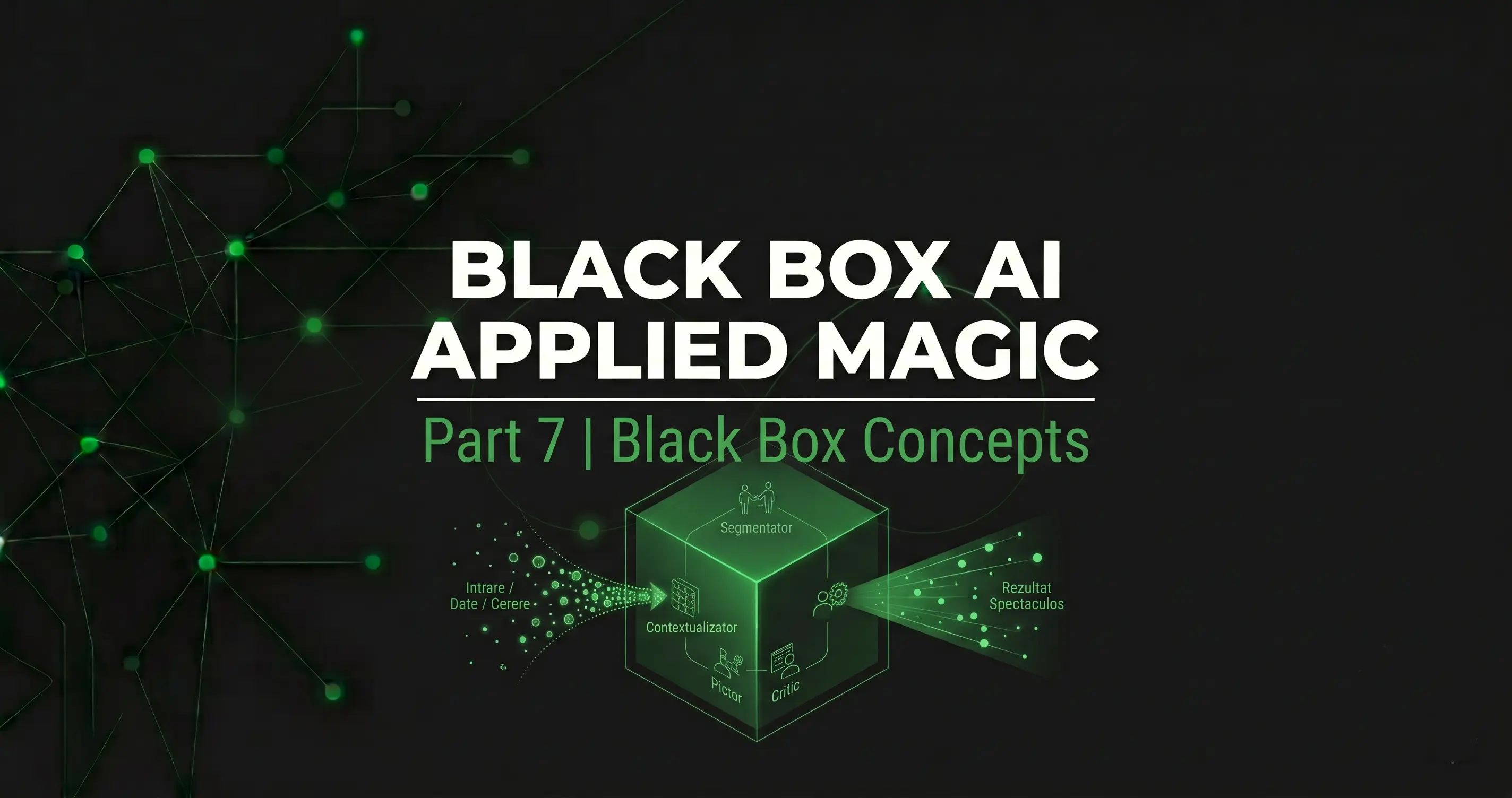
After building the machinery piece by piece in the previous episodes, we completely change perspective in this episode. We step away from the command line and explore the concept of the “Black Box” to understand how end users perceive multi-agent systems and how the code running on your server is transformed into magic at the push of a single button.
“In the previous chapters, we took the machinery apart piece by piece. We looked under the hood at databases, Python code, the Proxmox virtual machine, and network communication, because that is what we do in this technical series. However, for the average user, all this engineering simply does not exist. To them, an AI Agent is not a network structure, but a Black Box: a magical tool into which you enter a request or some raw material and, with the push of a single button, receive a spectacular result.”
To truly understand the power of these systems, we need to step away from the world of servers for a moment and look at how they work in practical, everyday situations. We will use photo and video processing as an example, a field where autonomous agents act as perfect black boxes for ordinary users who have no experience with programming.
🔹The Ordinary User in Front of the Black Box
Think of a photographer, a content creator, or an everyday smartphone user. They don’t know what an LLM is, have never heard of vector databases, and aren’t concerned with the latency between a Python script and a MariaDB server. All they see is an attractive graphical interface.
When this user clicks a single button — such as “Generative Fill,” “Restore,” or “Remove Object” — it feels like instant magic. In reality, inside that digital black box, an entire team of specialized autonomous agents comes to life, collaborating, discussing, and executing tasks in the background.
Here are three concrete examples of real-world applications where these autonomous agents operate as a black box, collaborating through the same autonomy loop we are building ourselves: Perception → Decision → Action.
⚠️ Important:
The following examples are intended for educational purposes. In practice, different commercial applications use different architectures. Some implement traditional processing pipelines, others use orchestration between specialized models, while the most advanced combine multiple models and software agents. For simplicity, we will describe each stage as if it were performed by a specialized “agent.”
🔹Example 1: Removing an Object from a Photo (The Beach Scenario)
Imagine a user who has taken a beautiful photo by the sea, but an unknown person has appeared in the background, ruining the composition. The user simply circles that person with their finger or mouse and clicks the “Remove” button.
From the user’s perspective, we can view this workflow as a system made up of several specialized agents, each responsible for a different stage of the process.
- Agent 1: The Segmenter (The Image Scanner)
Its mission: to isolate the pixels of the selected object with precision. It does not understand the story behind the photo, but mathematically analyzes edges, shadows, and textures at the pixel level to ensure that it selects only the person in question without damaging the surrounding sand or water. - Agent 2: The Contextualizer (The Semantic Brain)
Its mission: to examine the entire photograph and translate it into abstract concepts. It analyzes the image and says: “We are on a beach, the sea is in the background, it is a sunny day, the sunlight comes from the right, and the sand has a warm tone typical of the afternoon.” This agent provides the context of the external world. - Agent 3: The Generator / Painter (The Executor)
Its mission: to receive instructions from the Contextualizer. Using generative AI, it starts drawing sand textures and waves in the empty area, making sure to follow the direction of the light and the angle at which the sun’s rays fall. - Agent 4: The Critic (Quality Control / Consistency Memory)
Its mission: to act as the system’s quality controller. It takes the Painter’s final result and critically evaluates it before showing it to the user: “The generated sand has too low a resolution, and the wave’s shadow doesn’t blend properly with the rest of the photo. Rejected. Painter, redo the section on the left and add more image noise (grain) to make it look like an authentic photograph.”
This entire sequence of processing and verification can take place in fractions of a second, through a combination of local processing and artificial intelligence services running within the application’s infrastructure. The ordinary user sees only a loading bar moving across the screen, and when it disappears, the person has been perfectly replaced with sand and water.
🔹Example 2: Photo Upscaling and Restoration (The Old Photograph)
Another practical scenario involves a user who brings in an old, damaged photograph taken from a physical album dating back to the 1990s or even earlier. The image is pixelated, covered in scratches, and facial details are almost completely faded. The user uploads it to the application and clicks “HD Restoration”.
Behind this black box, another chain of autonomous agents is at work:
- The Defect Detection Agent: Mechanically scans the image and identifies scratches, stains, or damaged pixels, creating a map of the areas that need to be repaired.
- The Facial Recognition Specialist Agent: Identifies the facial structure. It determines where the eyes, eyebrows, and lip line should be, even when they are now just a blurry patch of pixels.
- The Texture Agent (Detail Reconstruction): Uses learned models to reconstruct plausible textures of human skin, strands of hair, or clothing fabrics that match the overall appearance of the photograph.
- The Blending Agent: Seamlessly blends the new, high-resolution pixels into the original photograph, trying to preserve the person’s original features as accurately as possible while bringing the details up to modern standards of clarity.
The user does not see this laborious reconstruction process; they simply receive a much clearer photograph, brought back from the past.
🔹Example 3: Generating Fashion and E-commerce Catalogues
In the modern fashion and e-commerce industry, AI agents operating as a black box can significantly reduce the need for complex, costly, and time-consuming photo shoots. Companies are using increasingly sophisticated practical systems.
People take a single, simple photograph of a garment (a dress or a jacket) placed on a static plastic mannequin in a warehouse. That photo is uploaded to the AI system. From the user’s perspective, they simply select from a menu: “Female model, European ethnicity, Paris street background, sunset lighting”.
Inside the black box, autonomous agents take over:
- One agent isolates the actual garment and tries to preserve its texture, stitching, and brand as faithfully as possible, so these elements are not altered or reinterpreted by AI.
- Another agent generates a photorealistic human model in a natural walking pose, adapting the virtual model’s body to the garment’s dimensions.
- A third agent generates the Paris background, adding a motion blur (bokeh) effect and matching the sunset light reflections on the jacket’s fabric as realistically as possible.
The result can be a magazine-quality photograph, ready to be published on the online store, created without the garment ever having to leave the warehouse and without the need for a traditional photo shoot involving a model and a photographer.
🛠️ What’s Coming in Episode 8?
So far, we have looked at the AI Agent through the eyes of the end user and understood how a multitude of specialized processes can be perceived as a simple “Black Box”. However, once we lift the lid of this box, an essential question arises: how does the Agent know when to search for information and when to execute an action?
In the next episode, we will take a step into the internal architecture of these systems and compare two of the most important technologies in modern AI: Function Calling and Retrieval-Augmented Generation (RAG). You will understand when a relational database queried through SQL is sufficient, when a vector database is needed, and why these two approaches are not mutually exclusive but complement each other in modern AI applications.
⚙️ Appendix: AI Engineering Mini-Course (Technical Clarifications)
- Black Box: A concept used to describe a system whose internal mechanisms are not visible to the user. The user interacts only with the input data and the final result, without knowing the intermediate processing steps.
- AI Pipeline: An organized sequence of stages through which data passes in an AI application. Each stage has a clearly defined role, such as analysis, transformation, generation, or validation.
- Specialized Micro-Agent: A software component responsible for a single category of tasks within a more complex workflow. In practice, it may represent an AI model, a software service, or a module dedicated to a specific function.
- Orchestration: The mechanism through which multiple AI components or software services are coordinated so that each performs the appropriate stage at the right time.