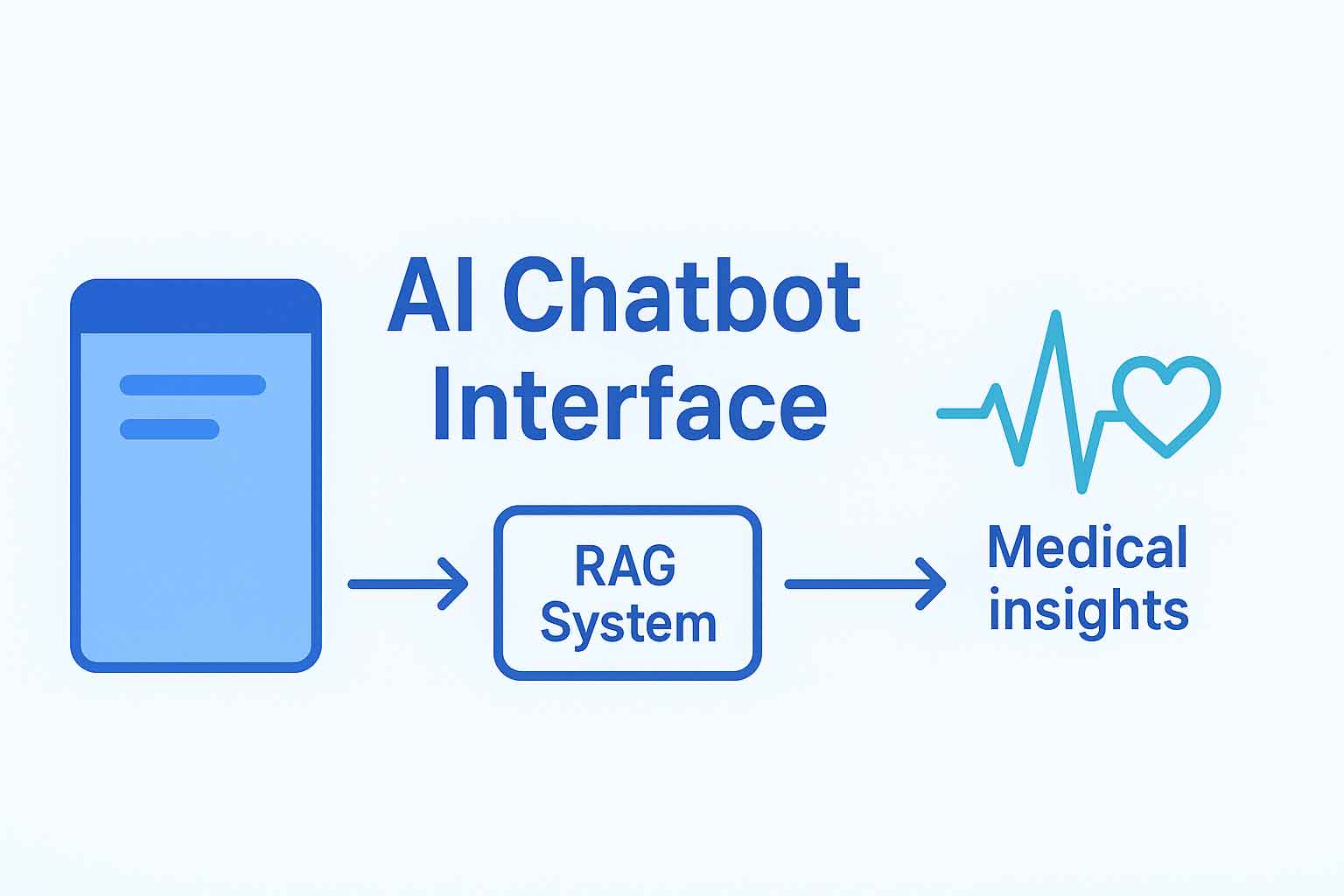
📚 Complete Tutorial: Configuring a Medical Chatbot with AI Engine
*This is the fourth part of the complete configuration guide. If you missed the first three parts, you can find them [here]*, [here]*** and [here]***
In the first three parts we covered:
✅ **Technical Foundation** – Token system, cost optimization, Dashboard modules
✅ **Chatbot Configuration** – AI Model, Embeddings, Thresholds, Knowledge Base
✅ **User Interface** – Appearance, Popup, UI Builder, Advanced
✅ **Advanced Integrations** – Cross-Site, Shortcodes, Actions
✅ **Monitoring** – Discussions, Insights
✅ **Partial Global Settings** – Settings AI
—
## 🎛️ NOW WE WILL FINALIZE THE GLOBAL SETTINGS:
In this final part, we will complete the configuration of all system settings:
🔹 **Settings – Chatbot** – Global chatbot configurations
🔹 **Settings – Knowledge** – Knowledge base settings
🔹 **Settings – Orchestration** – Advanced automations
🔹 **Settings – Files & Media** – File management
🔹 **Settings – Remote Access** – API and MCP
🔹 **Settings – Others** – Security, languages, maintenance
⚙️ “SETTINGS” – GLOBAL CONFIGURATIONS
2. “CHATBOT” TAB – GLOBAL SYSTEM SETTINGS
📍 AI Engine → Settings → “Chatbot” Tab
🔹 “CHATBOT” SECTION – BASIC FUNCTIONALITIES
📝 DISCUSSIONS – ARCHIVING CONVERSATIONS
Status: ❌ Disable (disabled)
Function: Saves and archives all user conversations
Access: "Discussions" Tab for history viewing
🏥 MEDICAL STRATEGY:
✅ DISABLED - Security Rationale:
  - Protection of sensitive medical data
  - Strict GDPR compliance
  - Patient history is not stored
  - Maximum privacy for users
🌐 CROSS-SITE – EXTERNAL EMBED
Status: ✅ Enable (activated)
Function: Allows chatbot embed on external sites
Control: Access based on authorized domains
🚀 IMPLEMENTATION BENEFITS:
Portability: Chatbot can be integrated on multiple platforms
Control: Only authorized domains can use the system
Scalability: Ready for medical partnerships
💻 SYNTAX HIGHLIGHT – CODE DISPLAY
Status: ❌ Disable (disabled)
Function: Syntax highlight for code blocks
Usage: For technical/developer examples
🎯 MEDICAL DECISION:
❌ NOT RELEVANT - Our system:
  - Does not display code or technical examples
  - Purely conversational medical interaction
  - No need for code formatting
🎤 WEB SPEECH API – VOICE RECOGNITION
Speech Recognition: ❌ Disable (disabled)
Function: Speech-to-text conversion
Dependencies: Browser and user OS
🔊 SPEECH SYNTHESIS – TEXT-TO-SPEECH
Status: ❌ Disable (disabled)
Function: Text-to-speech conversion
GDPR: Users must accept the terms
🏥 ACCESSIBILITY ANALYSIS:
✅ DISABLED - Medical Considerations:
  - Critical precision in medical terminology
  - Risks of vocal misunderstanding
  - GDPR complexity for voice data
  - Focus on 100% textual accuracy
🔹 “DISCUSSIONS” SECTION – CONVERSATION MANAGEMENT
📊 SUMMARIZE – AUTOMATIC SUMMARY
Status: ❌ Disable (disabled)
Function: Automatically generates title for discussions
Model: Uses the "fast" model for summaries
🎯 TITLE STRATEGY:
✅ DISABLED - Rationale:
  - Automatic titles can distort medical context
  - We prefer clear titles based on the subject
  - Reduction of unnecessary processing costs
📄 PAGING – RESULT PAGINATION
Value: 10 per Page
Function: Number of discussions displayed per page
⚡ PERFORMANCE OPTIMIZATION:
10 per Page - Perfect Balance:
  - Fast list loading
  - Easy navigation for administrators
  - Optimized for large data volumes
🔄 REFRESH INTERVAL – AUTOMATIC UPDATE
Value: 5 seconds
Function: Automatically updates the list of discussions
📈 REAL-TIME MONITORING:
5 seconds - Optimized for:
  - Live monitoring of conversations
  - Rapid problem detection
  - Prompt intervention if necessary
📋 METADATA BAR – ADDITIONAL INFORMATION
Status: ❌ Disable (disabled)
Available Options:
  - Start Date: discussion creation date
  - Last Update: last modification date
  - Message Count: number of messages
🎯 INTERFACE DECISION:
✅ CLEAN INTERFACE - Priorities:
  - Focus on medical content, not metadata
  - Reduction of visual complexity
  - Simplified user experience
🔹 “USER INTERFACE” SECTION – CHATBOT SELECTION
🎛️ CHATBOT SELECT – SELECTION METHOD
Available Options:
  - [ ] Tabs (default)
  - [✅] Dropdown (selected)
Function: How multiple chatbots are displayed
🏗️ SELECTION ARCHITECTURE:
DROPDOWN SELECTED - Advantages:
  - Scalable for many chatbots
  - Compact and organized interface
  - Easy search and filtering
  - Ideal for future expansions
🏥 GLOBAL CHATBOT SETTINGS STRATEGY
🔒 MEDICAL SECURITY AND COMPLIANCE
📜 DATA POLICY:
Discussions Disabled:
  - No medical conversations stored
  - Maximum patient privacy protection
  - Zero risk of sensitive data breach

Speech APIs Disabled:
  - Eliminates risks of vocal interpretation
  - Strict GDPR compliance
  - Focus on textual accuracy
🌐 SCALABILITY AND PORTABILITY
🚀 MULTI-SITE ARCHITECTURE:
Cross-Site Enabled:
  - Ready for integration on multiple platforms
  - Granular control over authorized domains
  - Expansion without reconfiguration

Dropdown Interface:
  - Support for future specialized chatbots
  - Clear organization of multiple medical services
⚡ PERFORMANCE AND EXPERIENCE
🎨 OPTIMIZED INTERFACE:
Clean Interface:
  - No unnecessary elements for the medical use-case
  - Focus on essential functionalities
  - Fast and responsive loading

Rapid Refresh:
  - Real-time activity monitoring
  - Immediate intervention if necessary
✅ FINAL RECOMMENDED CONFIGURATION
🎛️ OPTIMAL SETTINGS FOR MEDICAL SYSTEM:
# CHATBOT SECTION
Discussions: ❌ Disable (data security)
Cross-Site: ✅ Enable (scalability)
Syntax Highlight: ❌ Disable (not relevant)
Speech Recognition: ❌ Disable (GDPR)
Speech Synthesis: ❌ Disable (precision)

# DISCUSSIONS SECTION
Summarize: ❌ Disable (accuracy)
Paging: 10 per Page (performance)
Refresh: 5 seconds (monitoring)
Metadata Bar: ❌ Disable (simplicity)

# USER INTERFACE SECTION
Chatbot Select: ✅ Dropdown (scalability)

3. “KNOWLEDGE” TAB – KNOWLEDGE BASE CONFIGURATION
📍 AI Engine → Settings → “KNOWLEDGE” Tab
🔹 PANEL 1: “ENVIRONMENT FOR EMBEDDINGS” – CREATING CONNECTIONS
This panel allows creating new connections to vector databases.
📝 NAME – CUSTOM NAME:
Value: "Quadrant" (custom example)
Function: Descriptive name for your connection
Usage: Easy identification in the list
Examples: "MedicalBase", "PrimaryEmbeddings", etc.
🔧 TYPE – VECTOR DATABASE PROVIDER TYPE:
Available Options:
├─ Qdrant (✅ Selected in example)
├─ Pinecone
├─ OpenAI Vector Store
└─ Chroma

📊 PROVIDER COMPARISON:

| Provider | Cost | Performance | Ease of Use | Use-case |
|------------|------|---------------|------------|---------------|
| Qdrant | 🟢 Free 1GB | 🟢 Excellent | 🟢 Easy | Small-medium projects |
| Pinecone | 🔵 Pay-per-use | 🟢 Very Good | 🟢 Easy | Enterprise projects |
| OpenAI | 🔵 Integrated | 🟡 Average | 🟢 Simple | OpenAI only |
| Chroma | 🟢 Open-source | 🟡 Good | 🟡 Medium | Self-hosted |
🌍 SERVER – CONNECTION URL:
Example: "https://a4c16481-67f9-4932-9166-ef4055ed00c2.europe-west3-0.gcp.cloud.qdrant.io"
Source: Obtained from the Qdrant Cloud platform
Structure: [unique-ID].[region].[provider].cloud.qdrant.io
🗂️ COLLECTION – DATA COLLECTION:
Value: "1536" (default)
Function: Separates data into logical "compartments"
Analogous: Like folders on a hard drive
Usage: You can have multiple collections for different projects
📐 DIMENSIONS – VECTOR DIMENSIONS:
Value: 1536 (default for Ada-002)
Significance: The number of characteristics of each vector
Compatibility: Must match the embeddings model
🆔 ENV ID – AUTOMATIC IDENTIFIER:
Example: "unynjwo1" (automatically generated)
Function: Unique ID for the connection
Usage: Technical references in the backend
🎯 SCORE – ADVANCED SEARCH SETTINGS:
Min Score: 70 (default)
Significance: The minimum similarity threshold for results
Example: Only vectors with >70% similarity are returned

Max Results: 5 (default)
Significance: The maximum number of results returned
Interval: 1-100 (10 is general default)
⚙️ AI ENVIRONMENT – MODEL CONFIGURATION:
Override Defaults: ❌ Disable (unchecked)
Function: Allows custom settings different from global ones
Usage: Only if you need a different model for this environment
🔧 ACTIONS – PRACTICAL ACTIONS:
Quick Test: ✅ Connection test button
Function: Checks if the connection is working
Delete: 🗑️ Environment deletion button
Caution: Permanently deletes the connection and all data
🏗️ QDRANT CONNECTION ARCHITECTURE
🔗 COMPLETE INTEGRATION FLOW:
AI Engine → Qdrant Cloud → Collection 1536 → Medical Vectors
    ↓           ↓               ↓              ↓
Connection   GCP Cluster   Data Separation    Medicine Embeddings
API Key   Server URL    1536 Dimensions    Cosine Similarity
💊 BENEFITS FOR THE MEDICAL SYSTEM:
✅ Performance: Ultra-fast vector search in the medical database
✅ Scalability: Qdrant Cloud supports large volumes of medicines
✅ Security: Secure connection via HTTPS with API Key authentication
✅ Cost: Optimized with free plan (1GB) and 5% discount with #AIENGINES
🔍 COMPATIBILITY WITH EMBEDDING ADA-002:
Dimensions: 1536 ←→ 1536 (perfect match)
Similarity: Cosine ←→ Cosine (optimal for medical text)
Collection: Auto-creation ←→ Native dimensions
🔹 PANEL 2: “DEFAULT EMBEDDINGS ENVIRONMENT” – SELECTING ACTIVE CONNECTION
Here you choose which environment should be used by default.
Options: List of all created environments
Selection: "Quadrant" (our created environment)
Impact: All searches use this connection by default
🔹 PANEL 3: “DEFAULTS” – GLOBAL CONFIGURATION
Global settings for all environments (if not overridden).
AI Environment: OpenAI (the main provider)
Embeddings Model: text-embedding-ada-002 (the optimal model)
Dimensions: 1536 (Ada-002 native dimensions)

Note: "If a particular embeddings environment needs different settings,
use the 'Override Defaults' option in the AI Environment section
of each embeddings environment."
🔹 PANEL 4: “EMBEDDINGS SEARCH” – SEARCH STRATEGY
Configuring how the system searches the database.
🔍 METHOD – SEARCH METHOD:
Available Options:
├─ Simple (✅ Selected)
├─ Context-Aware
└─ Smart Search
📊 METHOD ANALYSIS:

Method          Speed          Accuracy        Cost          Usage
───────         ───────        ─────────        ───────        ───────────────
Simple          🟢 Fast        🟡 Average      🟢 Free        Simple questions

Context-Aware   🟡 Average      🟢 Good         🟢 Free        Medical conversations

Smart Search    🔵 Slow        🟢 Excellent     🔵 Added Cost  Complex searches
💬 MESSAGES – NUMBER OF CONTEXT MESSAGES:
Value: 10 (default)
Function: How many messages from history are used for context
Impact: The more messages, the richer the context
Recommendation: 5-10 for a balance between context and performance
🔹 PANEL 5: “INFORMATION” – THEORETICAL EXPLANATIONS
Informational panel explaining the technical concepts.
🎓 WHAT EMBEDDINGS ARE:
Definition: "Textual data converted into vectors that enable similarity search"
Function: "Allow AI to find relevant context from your knowledge base"
Storage: "Synchronized with vector databases like Pinecone or Qdrant"
🛠️ WORKING WITH EMBEDDINGS – PRACTICAL FLOW:
Knowledge Tab: "Manage your embeddings"
Available Actions:
├─ EDIT: "Create, edit, and search embeddings"
├─ AI SEARCH: "Query your knowledge base directly"
└─ SYNC: "Process posts and create/update embeddings"
🚀 MEDICAL CONFIGURATION RECOMMENDATIONS:
✅ Environment Type: Qdrant (zero cost, good performance)
✅ Search Method: Context-Aware ( ideal for medical conversations)
✅ Min Score: 70 (balance between precision and coverage)
✅ Max Results: 5-10 (sufficient for medical recommendations)
✅ Messages: 10 (adequate context for medical history)


4. “ORCHESTRATION” TAB – MODEL CONTEXT PROTOCOL (MCP)
📍 AI Engine → Settings → Orchestration
🔹 WHAT IS MCP (MODEL CONTEXT PROTOCOL)?
🎯 TECHNICAL DEFINITION:
MCP: "Model Context Protocol" - open-source standard created by Anthropic
Purpose: Allows AI models to access external tools and data in real time
Analogous: "Plugin system" for AI - like browser extensions
**MCP ARCHITECTURE IN AI ENGINE:**
AI Engine       →       MCP Client       →       External MCP Server       →       Specialized Tools
     ↓                       ↓                           ↓                             ↓
Medical Chatbot      Standard Protocol        External Services              Functions Available for AI
                     (communication)            (APIs, databases)              (search, calculations, etc.)
🔹 WHAT DO MCP SERVERS DO?
🛠️ PRACTICAL FUNCTIONALITIES:
MCP Servers offer:
- Web Search - real-time information retrieval
- Calculator - complex mathematical calculations
- Weather - current weather data
- Calendar - calendar interaction
- Database Query - database querying
- File System - file reading/writing
- Custom Tools - personalized business functions
💊 CONCRETE MEDICAL EXAMPLE:
User              →       Chatbot          →       MCP Server          →       Medical Database
     ↓                       ↓                           ↓                             ↓
"Drug Interaction    Detects the need        Calls the DrugInteractions    Queries the medical
 Warfarin +            for external medical              API                         database
 Amoxicillin?"          information
Response: "Warfarin + Amoxicillin can increase the risk of bleeding"
🔹 CONFIGURING THE MCP SERVER
**👤 USER NAME – UNIQUE NAME:**
Example: "DrugInteractionsAPI"
Requirement: "The name must be unique across all MCP servers"
Usage: Visual identification in the list
**🌐 URL – MCP SERVER ENDPOINT:**
Structure: "https://example.com/mcp-server"
Protocol: "Must start with https://" (mandatory security)
Requirements: Must implement the standard MCP protocol
**🔐 TOKEN – AUTHENTICATION:**
Type: "Bearer token for authentication"
Function: Access token for the MCP server
Security: Ensures only authorized users
**🆔 SERVER ID – IDENTIFIER:**
Example: "7x86fkqk" (automatically generated)
Purpose: Unique identification in the system
**🔧 ACTIONS – AVAILABLE ACTIONS:**
Delete: Deletes the MCP server
Caution: Deletion is permanent and irreversible
🔹 WHY “ORCHESTRATION”?
**THE ORCHESTRA ANALOGY:**
Orchestrator        →       Instruments       →       Score       →       Result
     ↓                       ↓                       ↓                       ↓
AI Engine           MCP Servers              User Conversation           Coordinated Harmonious
(the conductor)           (the musical              (the music)                 Response (the symphony)
                    instruments)
**COMPLETE ORCHESTRATION FLOW:**
1. User           →       2. AI Engine       →       3. Orchestration       →       4. MCP Server
     ↓                       ↓                           ↓                             ↓
"What's the weather      Detects the need        Calls the "Weather"          Queries the weather
 like in Bucharest?"      for weather data             MCP Server                   API
5. AI Engine        →       6. User
     ↓                       ↓
Integrates the response     Receives "In Bucharest
into the conversation       it's 22°C, sunny"
🏥 SPECIFIC MEDICAL APPLICATIONS
**MCP SERVERS FOR MEDICINE:**
- Drug Databases: Updated drug databases
- Medical Calculators: Dosage calculators, BMI, etc.
- Clinical Guidelines: Current medical guidelines
- Lab Reference: Normal analysis values
- Symptom Checkers: Symptom triage systems
**LIMITATIONS AND MEDICAL CONSIDERATIONS:**
- Does not replace medical consultation
- No access to patients' personal data
- Only general medical information
- Mandatory verification of credible sources
- Mention "General information, consult a doctor"
🔒 SECURITY AND COMPLIANCE
**PROTECTION MEASURES:**
- Mandatory HTTPS: All connections encrypted
- Token Authentication: Controlled access
- Server Validation: Verification of secure sources
- Data Minimization: Only necessary data
**✅ CONFIGURATION RECOMMENDATIONS:**
Current Status: Empty panel (no MCP servers configured)
Recommendation: Kept this way for maximum security
Reason: The medical system functions perfectly with its own database

5. “FILES & MEDIA” TAB – FILE AND MEDIA MANAGEMENT
📍 AI Engine → Settings → Files & Media
📤 UPLOADED BY USERS – FILES UPLOADED BY USERS
**🔹 LOCAL UPLOAD – Configuration:**
Storage: Filesystem (✅ Selected)
Options:
  ├─ Filesystem
  └─ Media Library
**🔹 REMOTE UPLOAD – Configuration:**
Storage: Filesystem (✅ Selected)
Options:
  ├─ Filesystem
  └─ Media Library
Note: "Files can be stored either in the filesystem or the Media Library"
**🔹 EXPIRATION – Expiration Policy:**
Setting: 1 hour (✅ Selected)
Options available:
  ├─ 5 minutes
  ├─ 1 hour
  ├─ 6 hours
  ├─ 1 day
  ├─ 1 week
  ├─ 1 month
  └─ Never
**📝 EXPLANATORY NOTE:**
"Uploaded files will be deleted after a certain amount of time.
This also affects files uploaded to OpenAI via the Assistants."
🤖 GENERATED BY AI – FILES GENERATED BY AI
**🔹 LOCAL DOWNLOAD – Configuration:**
Storage: None (✅ Selected)
Options:
  ├─ None
  ├─ Filesystem
  └─ Media Library
**🔹 EXPIRATION – Expiration Policy:**
Setting: Never (✅ Selected)
Note: "Downloaded files will be deleted after a certain amount of time"
🏗️ TECHNICAL CHOICE ARCHITECTURE
**🎯 SELECTED STORAGE STRATEGY:**
**✅ UPLOADED FILES → Filesystem:**
Motivation:
  - Clear separation from the WordPress Media Library
  - Granular control over temporary files
  - Ease of automatic cleanup
**✅ GENERATED FILES → None:**
Motivation:
  - The medical chatbot does not generate files
  - Eliminates unnecessary storage overhead
  - Focus on pure text conversation
**✅ EXPIRATION → 1 hour / Never:**
Uploaded: 1 hour →
  - User files are temporary
  - Automatic cleanup for space saving
  - Alignment with the episodic nature of medical consultations

Generated: Never →
  - Not applicable (storage set to None)
  - Consistency with the decision not to store generated files
🔒 IMPLICATIONS FOR MEDICAL SECURITY
**🛡️ PATIENT DATA PROTECTION:**
Rapid expiration (1 hour):
  - Minimizes the risk of sensitive data exposure
  - Files are not stored long-term
  - Compliance with data protection regulations

Separate Storage:
  - Isolation from the public WordPress Media Library
  - Better control over file access
⚠️ IMPORTANT! CRITICAL CONNECTION WITH CHATBOT CONFIGURATION
MANDATORY CONDITION:
├─ For "Files & Media" settings to have any effect
├─ "File Upload" must be enabled in the chatbot configuration
├─ Tab: AI Engine → Chatbots → [Chatbot Name] → "AI Model" Tab
└─ Setting: Uploads → File Upload ✅ ENABLED

⚠️ CONFIGURATION ALERT:
"Without enabling File Upload in the AI Model tab,
all settings in Files & Media are INACTIVE!"
💊 IMPACT ON THE MEDICAL SYSTEM
**✅ BENEFITS OF OUR CONFIGURATION:**
Security:
  - User files expire quickly (1 hour)
  - Zero generated files permanently stored
  - Separation from public WordPress content

Performance:
  - Optimized storage space
  - Automatic cleanup of temporary resources
  - No overhead for generated files

Compliance:
  - Minimization of sensitive data stored
  - Alignment with data minimization principles
  - Protection against personal data accumulation
**🎯 CONCLUSION OF FILES & MEDIA CONFIGURATION:**
The chosen settings create a perfect balance between:
**Security** (rapid expiration + separate storage)
**Performance** (no unnecessary storage)
**Compliance** (data minimization)
But everything depends on enabling **File Upload** in the chatbot configuration!

6. “REMOTE ACCESS” TAB – REMOTE ACCESS AND INTEGRATIONS
📍 AI Engine → Settings → Remote Access
🔹 “MODEL CONTEXT PROTOCOL (MCP)” PANEL – WORDPRESS AS MCP SERVER
**🎯 TRANSFORMING WORDPRESS INTO AN MCP SERVER:**
Function: "Create a Model Context Protocol (MCP) server that provides various tools"
Purpose: Makes the WordPress site accessible as a service for external AI agents
Direction: ← AS (WordPress becomes the server for others)
**⚙️ SSE ENDPOINT CONFIGURATION:**
Setting: [ ] Enable (❌ Disabled - RECOMMENDED)
Function: "Enable the App.json/msg/v1/spe endpoint"
Note: "Claude works well with MCP servers but cannot handle SSE directly, so a relay is needed"
**🔐 BEARER TOKEN – SECURITY:**
Setting: [Empty]
Function: "MCP will be usable by using this Bearer Token"
Security: If not set, it requires personalized authentication filters
**🌐 NO-AUTH URL – SIMPLIFIED ACCESS:**
Setting: [ ] Enable (❌ Disabled)
Condition: "Only works when SSE Endpoint is enabled and Bearer Token is set"
Function: Creates a special URL with authentication in the path
🔹 “REST API” PANEL – AUTOMATIONS AND INTEGRATIONS
**🎯 API FOR EXTERNAL AUTOMATIONS:**
Definition: "The REST API enables integration with automation platforms and external applications"
Usage: "Use it with Make.com, n8n, Zapier, or any platform that supports REST APIs"
**⚙️ PUBLIC API – ACTIVATION:**
Setting: [ ] Enable (❌ Disabled - RECOMMENDED)
Function: "Enable the Public REST API"
**🔐 BEARER TOKEN – API SECURITY:**
Setting: [Empty]
Function: "The Public API will be usable by using this Bearer Token"
Note: "If not set, you will need to build your own authentication"
🔹 “INFORMATION” PANEL – TECHNICAL EXPLANATIONS
**🔄 INTEGRATION COMPARISON:**
REST API:
├─ Purpose: "Ideal for automation platforms like Make.com, Zapier, or n8n"
├─ Usage: "Trigger AI operations from external services"
└─ Cases: Integration into existing workflows

MCP (Model Context Protocol):
├─ Purpose: Makes WordPress accessible for AI agents
├─ Compatibility:
│  ├─ ✅ Claude Desktop: "Use the mcp.js relay"
│  ├─ ⚠️ OpenAI/ChatGPT: "Limited to Deep Research mode"
│  └─ ❌ Claude.ai: "Currently not supported"
└─ Available Tools:
   ├─ Full access: WordPress management, SEO Engine, Code Engine
   └─ Limited access: Only search and fetch WordPress posts
**⚡ CRITICAL DIRECTION NOTE:**
"Note: This makes WordPress an MCP server.
For connecting TO external MCP servers, use the Orchestration module."

📋 FINAL COMPARISON:

| Direction | Purpose | Module | Location |
|------------|------------------------|---------|------------------------|
| → TO | Chatbot calls external services | MCP Client | Settings → Orchestration |
| ← AS | WordPress becomes a server for AI agents | MCP Server | Settings → Remote Access |
🏗️ TECHNICAL DECISION ARCHITECTURE
**🎯 SELECTED SECURITY STRATEGY:**
**✅ SSE ENDPOINT → DISABLED:**
Medical Motivation:
  - The medical system does not require external access to WordPress
  - Reduces the attack surface and vulnerabilities
  - Keeps medical data isolated and secured
**✅ REST API → DISABLED:**
Medical Motivation:
  - The medical chatbot operates autonomously, without external integration
  - Eliminates the risk of data exposure via API
  - Simplifies the architecture and reduces points of failure
**✅ BEARER TOKENS → UNSET:**
Medical Motivation:
  - No API keys = no external access
  - Maximum protection against unauthorized access
  - Alignment with medical security principles
🔒 IMPLICATIONS FOR MEDICAL SECURITY
**🛡️ BENEFITS OF COMPLETE ISOLATION:**
Data Protection:
  - Zero external access to the medical system
  - Patient data remains completely internal
  - No exposed public endpoints

Compliance:
  - Maximized GDPR/HIPAA compliance
  - Total control over data flow
  - Simplified and secured audit trail

Stability:
  - System independent of external services
  - No dependencies on external connections
  - Consistent and predictable performance
⚠️ **IMPORTANT! RELATIONSHIP WITH ORCHESTRATION**
CRITICAL DISTINCTION:

ORCHESTRATION (Tab 4):                    REMOTE ACCESS (Tab 6):
├─ Direction: → TO                        ├─ Direction: ← AS
├─ WordPress = Client                    ├─ WordPress = Server
├─ Calls external services              ├─ Is called by external agents
├─ Extends capabilities                    ├─ Exposes capabilities
└─ Used for MCP Servers            └─ Used to become an MCP Server

🚨 CONSCIOUS DECISION:
"Both modules are DISABLED to keep
the medical system completely isolated and secured!"
**🎯 CONCLUSION OF REMOTE ACCESS CONFIGURATION:**
The chosen configuration ensures **complete isolation** of the medical system:
**No inbound access** (Remote Access disabled)
**No outbound access** (Orchestration empty)
**Closed and secured ecosystem** for sensitive medical data
The system functions perfectly with its internal database, without external dependencies! 🔒


7. “OTHERS” TAB – ADVANCED AND MISCELLANEOUS SETTINGS
📍 AI Engine → Settings → Others
🔹 PANEL 1 – “USER INTERFACE” – USER INTERFACE
**🎯 USER EXPERIENCE CONFIGURATION:**
**📝 INTRO MESSAGE:**
Setting: [ ] Enable (❌ Disabled - RECOMMENDED)
Function: "Enable introduction messages on some modules"
Medical Motivation:
  - The medical chatbot is direct and professional
  - Eliminates unnecessary introductory messages for consultations
  - Fast focus on the user's medical issue
**📋 FORMS EDITOR:**
Setting: [ ] Enable (❌ Disabled - RECOMMENDED)
Function: "Enable the Forms module to use the Forms Editor"
Medical Motivation:
  - The medical system does not require complex forms
  - Pure conversational interaction is sufficient
  Simplifies: the interface and reduces overhead
🔹 PANEL 2 – “INSIGHTS” – ANALYTICS AND MONITORING
**🎯 ACTIVITY MONITORING POLICY:**
**📊 QUERIES DATA:**
Setting: [ ] Enable (❌ Disabled - RECOMMENDED)
Function: "Record the queries and their replies"
Note: "Contextual data is excluded unless you activate the options below"
Medical Motivation:
  - Maximum protection of patient confidentiality
  - Compliance with GDPR - minimization of stored data
  - Eliminates the risk of exposure of medical consultations
**📝 QUERIES FORM DATA:**
Setting: [ ] Enable (❌ Disabled - RECOMMENDED)
Function: "Capture form data neatly for simple reuse"
Medical Motivation:
  - Medical data should not be captured for reuse
  - Each consultation is unique and personal
  - Respects the principle of medical confidentiality
**⚠️ AWARENESS NOTE:**
"Make sure your users are aware of this"
Decision: Users are automatically protected by disabling
🔹 PANEL 3 – “ADMIN BAR” – ADMINISTRATION BAR
**🎯 QUICK ACCESS FOR ADMINS:**
**🤖 AI ENGINE:**
Setting: [ ] Enable (❌ Disabled - RECOMMENDED)
Medical Motivation:
  - Reduces clutter in the administration interface
  - Access to settings is done directly from the plugin
  - Keeps the interface clean and professional
**🎮 PLAYGROUND:**
Setting: [ ] Enable (❌ Disabled - RECOMMENDED)
Medical Motivation:
  - The medical system is not a "playground"
  - Eliminates the temptation to experiment in production
  - Maintains focus on serious medical functionalities
**📝 GENERATE CONTENT:**
Setting: [ ] Enable (❌ Disabled - RECOMMENDED)
Medical Motivation:
  - The medical chatbot does not generate generic content
  - Exclusive specialization in medical consultations
  - Prevents improper use of resources
**🖼️ GENERATE IMAGES:**
Setting: [ ] Enable (❌ Disabled - RECOMMENDED)
Medical Motivation:
  - The medical system does not require image generation
  - Exclusive focus on text-based interaction
  - Saves processing resources
🔹 PANEL 4 – “ADVANCED” – ADVANCED SETTINGS
**🎯 ADVANCED TECHNICAL CONFIGURATIONS:**
**🔣 SHORTCODES:**
Setting: [ ] Resolve (❌ Disabled - RECOMMENDED)
Function: "Will resolve the shortcode in your content when needed"
Medical Motivation:
  - The medical chatbot does not process shortcodes
  - Direct interaction with the drug database
  - Eliminates unnecessary complexity
**📏 CONTEXT MAX LENGTH:**
Setting: 16384 (✅ Kept default)
Medical Motivation:
  - Perfect balance between context and performance
  - Sufficient for detailed medical conversations
  - Optimized for cost and response speed
**🔧 DEV TOOLS:**
Setting: [ ] Enable (❌ Disabled - RECOMMENDED)
Function: "Enable a new tab with debugging tools. For developers only"
Medical Motivation:
  - The medical system in production does not require debugging
  - Increased security by disabling the tools
  - Reduces the risk of unauthorized interventions
**🗑️ PLUGIN DATA:**
Setting: [ ] Delete All (❌ Disabled - NORMAL)
Function: "The database and all the options will be removed on uninstall"
Medical Motivation:
  - Safety setting - not activated preemptively
  - Retains important configuration data
  - Conscious decision at the time of uninstallation
🔹 PANEL 5 – “LANGUAGES” – FOREIGN LANGUAGE SUPPORT
**🎯 MULTILINGUAL CONFIGURATION:**
**🌐 AVAILABLE LANGUAGES:**
Setting: English (en) (✅ Kept default)
List: English (en), German (de), French (fr), Spanish (es), Italian (it), Chinese (zh), Japanese (ja), Po
Medical Motivation:
  - The Romanian medical chatbot works in English
  - The drug database is in Romanian/English
  - Eliminates the complexity of multi-language support
🔹 PANEL 6 – “SECURITY” – ADVANCED SECURITY
**🎯 ADVANCED PROTECTION MEASURES:**
**🔒 PRIVACY FIRST:**
Setting: [✓] Enable (✅ ENABLED - CRITICAL)
Function: "Only essential data is stored. IPs, conversations, and other private details are minimized"
Medical Motivation:
  - Maximum protection of patient confidentiality
  - Compliance with medical regulations (GDPR/HIPAA)
  - Minimization of sensitive data stored
**🚫 BANNED WORDS:**
Setting: [Empty Field] (✅ Kept empty - RECOMMENDED)
Function: "Reject queries containing these words; separate with commas"
Medical Motivation:
  - The medical chatbot must respond to any medical question
  - Overly aggressive filters can block legitimate medical questions
  - The system relies on strict prompts, not word filters
**🛡️ BANNED IPS:**
Setting: [Empty Field] (✅ Kept empty - NORMAL)
Function: "Block access from specified IP addresses or ranges using CIDR notation"
Medical Motivation:
  - The medical system is public and accessible to everyone
  - IP restrictions are not necessary at this time
  - Can be configured later if the need arises
🔹 PANEL 7 – “MAINTENANCE” – MAINTENANCE AND BACKUP
**🎯 CONFIGURATION MANAGEMENT:**
**💾 SETTINGS BACKUP:**
Export Settings: (✅ Available - IMPORTANT)
Import Settings: (✅ Available - IMPORTANT)
Reset Settings: (✅ Available - CAUTIOUS)
Reset Usage: (✅ Available - USEFUL)

Medical Strategy:
  - Periodic export of configuration for backup
  - Rapid import in case of need
  - Reset usage for current monitoring
**📝 MAINTENANCE NOTE:**
"Important to keep regular backups of your settings"
Recommended Practice: Weekly export of the complete configuration
🏗️ GENERAL STRATEGY FOR “OTHERS”
**🎯 CONFIGURATION PHILOSOPHY:**
Functional Minimalism:
  - Only strictly necessary settings are enabled
  - Maximized security and privacy
  - Complete elimination of unnecessary functionalities

Medical Focus:
  - All decisions justified by medical necessity
  - Patient data protection is prioritized
  Simplification: for maximum reliability
**🔒 GLOBAL SECURITY ENSURED:**
Privacy First: ✅ ENABLED - Maximum data protection
Insights: ❌ DISABLED - Zero conversation tracking
Admin Features: ❌ DISABLED - Minimal interface
Banned Words: ❌ DISABLED - Unlimited medical access
**✅ FINAL CONCLUSION OF “OTHERS” TAB:**
All 7 panels are configured for:
**Maximum security** (Privacy First enabled, Insights disabled)
**Operational simplicity** (unnecessary features disabled)
**Exclusive medical focus** (only relevant functionalities)
**Complete compliance** with medical standards
The system is now optimized for its specific medical mission! 🏥


**📚 CONTINUING IN PART 5 (FINAL)**
We have finalized the configuration of all global system settings.
In the last article of the series, we will explore the crucial **KNOWLEDGE** tab:
🔹 **Knowledge** – Centralized management of medical databases
Configuration and synchronization of knowledge bases
Optimizations for efficient semantic search
Maintenance and update strategies
[👉 Read Part 5: Knowledge Base Management here]